


Client Portal Software for Accountants: Improving Communication, Collaboration and Client Service
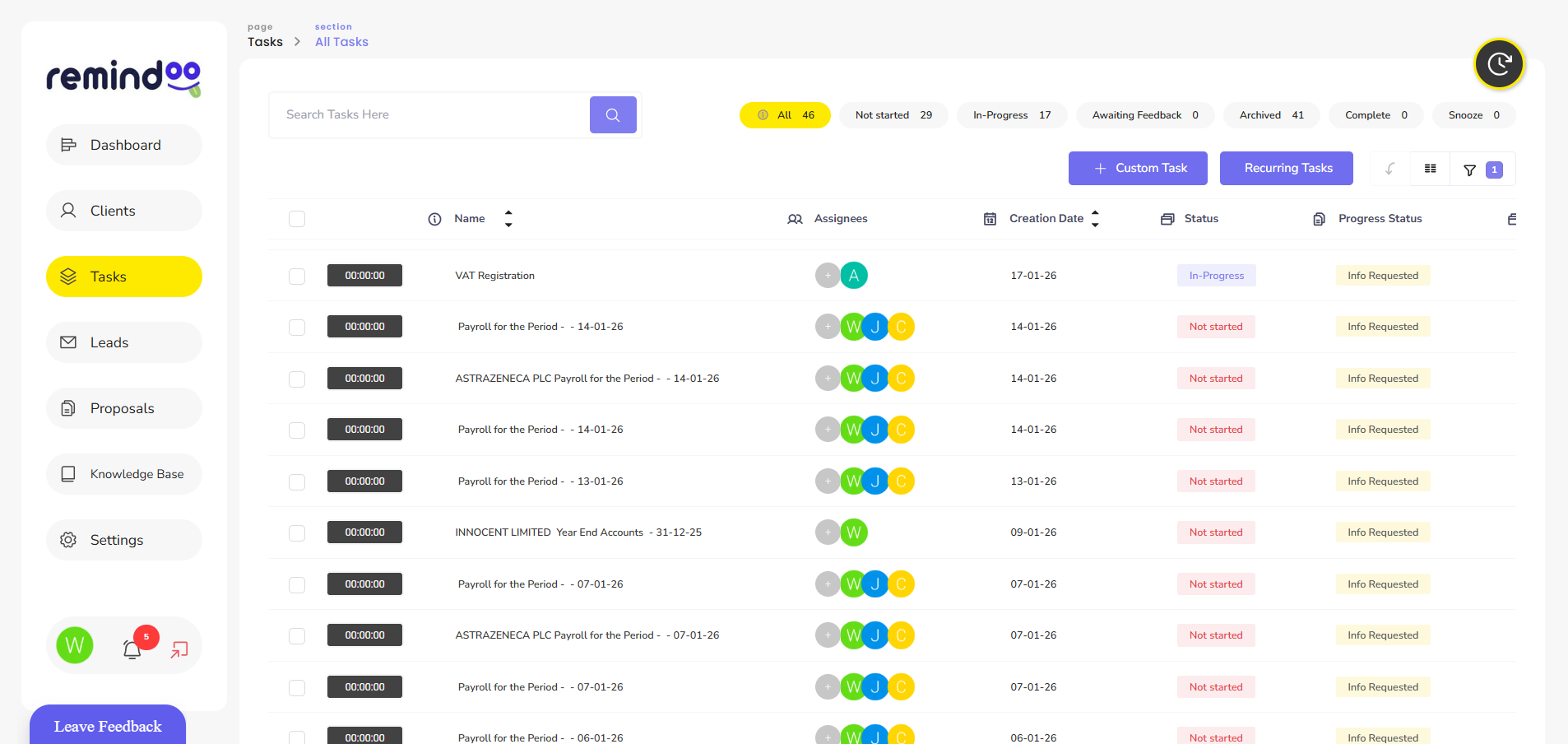
Communication plays an important role in the relationship between an accountant and a client. Accountants regularly request financial documents, clarify transactions, discuss tax obligations and provide updates on ongoing work. When these conversations take place across separate email threads, phone calls and messaging applications, important information can become difficult to track.
Client portal software for accountants provides a more organised way to manage these interactions. A dedicated portal can give clients a central place to access information, exchange documents and follow relevant requests from their accounting practice.
For firms looking to improve their digital workflows, platforms such as Remindoo illustrate how client communication can form part of a wider practice management process.
What Is Client Portal Software for Accountants?
Client portal software is a digital platform that allows an accounting firm and its clients to communicate and exchange information through a shared online environment.
Depending on the system, clients may be able to upload documents, access shared files, review requests, send messages and check the progress of outstanding work. Accountants can use the portal to organise client information and reduce the need to manage every interaction through email.
A client portal is not necessarily a replacement for accounting software. Instead, it can complement accounting and practice management systems by providing a dedicated space for client-facing activities.
The exact functionality varies between providers, so accounting firms should assess which features match their existing processes and client requirements.
Why Do Accounting Firms Need Better Client Communication?
Accounting work often depends on receiving accurate information from clients at the right time. Missing bank statements, incomplete expense records or unanswered questions can delay bookkeeping, accounts preparation and tax submissions.
Disorganised communication can create additional problems:
-
Staff may need to search through multiple email conversations.
-
Clients may not know which documents remain outstanding.
-
Requests can be repeated when previous messages are difficult to locate.
-
Important deadlines may become harder to manage.
-
Different team members may have inconsistent information about a client's progress.
A structured communication process helps both parties understand what information is required, who needs to provide it and what action should happen next.
Key Benefits of Client Portal Software for Accountants
1. Centralise Client Communication
A central communication point can make it easier for accountants to organise client interactions. Rather than relying entirely on individual inboxes, a portal can help keep relevant conversations and requests connected to the appropriate client.
This is particularly useful when several team members support the same account. Staff can follow established processes and locate relevant information without repeatedly asking clients to explain previous discussions.
Accounting firms should still define how urgent queries are handled and how clients can contact the practice when a matter requires immediate attention.
2. Simplify Document Collection
Collecting documents is a routine part of accounting work. Clients may need to provide invoices, receipts, bank statements, payroll information and other records throughout the year.
Client portal software can provide a designated place for uploading and accessing documents. This helps create a more consistent collection process and reduces dependence on scattered attachments.
Firms can improve the process further by giving clients clear instructions about the documents required, the relevant period and the submission deadline.
3. Make Outstanding Requests Easier to Track
A request is useful only when both the accountant and the client understand its status. Without a clear tracking process, staff may spend unnecessary time following up on information that has already been supplied.
Depending on the platform, client portals may support request lists, notifications, task statuses or reminders. These features can help accounting teams identify outstanding items and prioritise work.
For example, an accountant preparing a client's year-end accounts could organise requests for bank statements, expense records and supporting invoices. The team can then review the information received and follow up on anything that remains incomplete.
4. Improve the Client Experience
Clients value clear instructions and predictable communication. A portal can make it easier to understand what the accountant needs, where documents should be submitted and which actions remain outstanding.
This can be particularly helpful for clients who are unfamiliar with accounting terminology or who have limited time to manage administrative tasks.
A well-designed process should remain straightforward. Accountants should avoid creating unnecessary requests, using confusing labels or expecting clients to navigate several systems for routine activities.
5. Support Remote and Flexible Working
Accounting teams and their clients do not always work from the same location. A web-based portal can help authorised users access relevant information remotely, subject to the platform's access controls and security arrangements.
This can support communication between distributed teams and clients who prefer to manage financial administration online.
Firms should establish clear procedures for user access, document handling and account security before introducing a new portal.
How Client Portals Fit Into Accounting Practice Management
Client communication is closely connected to the wider work of an accounting practice. Receiving a document may trigger a bookkeeping task, a tax calculation or a review by another team member.
For this reason, firms may benefit from connecting client-facing processes with their internal workflows.
Practice management platforms such as Remindoo focus on organising accounting practice activities, including client management, task workflows, reminders and related administrative processes. When evaluating Remindoo or any other platform, firms should check the available client portal functionality and integrations against their specific requirements.
The aim is to reduce unnecessary handovers between systems and create a clearer process from the initial client request through to the completion of the accounting work.
Security and Data Protection Considerations
Accounting practices handle confidential financial and personal information. Choosing client portal software therefore requires more than comparing convenience and design.
UK businesses that store or use personal information must follow applicable data protection requirements. GOV.UK explains these responsibilities in its guide to data protection and your business.
Before adopting a portal, accounting firms should assess:
-
Access controls: Can access be restricted to the appropriate clients and staff?
-
Authentication: Does the platform support strong authentication measures?
-
Data protection: How is information stored, transferred and protected?
-
Permissions: Can staff access only the information required for their roles?
-
Backups and recovery: What arrangements exist for recovering information after an incident?
-
Retention and deletion: Can the firm manage records in line with its retention policies?
-
Provider responsibilities: Are contractual terms and data-processing arrangements appropriate?
A portal does not automatically guarantee compliance. Accounting firms remain responsible for assessing how personal data is handled within their own processes and for checking the security arrangements of their chosen provider.
How to Choose the Right Client Portal
The best solution depends on the firm's size, client base, existing software and communication requirements. Before selecting a platform, consider the following factors.
Ease of Use
Clients should be able to understand how to access the portal, submit documents and respond to requests without extensive technical support.
Workflow Compatibility
Review how the portal fits into existing bookkeeping, tax, payroll and accounts preparation processes. Identify whether information needs to be transferred manually or whether supported integrations can reduce duplication.
Notifications and Reminders
Consider whether clients and staff can receive appropriate notifications about outstanding requests and important activities. Reminder settings should be useful without creating excessive messages.
Mobile Accessibility
Some clients may prefer to upload documents or respond to requests using a mobile device. Test the experience across the devices commonly used by the firm's clients.
Scalability and Support
Consider whether the system can accommodate changes in client numbers, staff responsibilities and service offerings. Reliable technical support and clear documentation can also make implementation easier.
Costs and Value
Compare subscription costs with the expected operational benefits. These may include reduced administration, fewer repeated requests and more consistent communication. Any expected time savings should be assessed against the firm's actual workflows rather than assumed.
Steps for Introducing a Client Portal
Implementing new software is easier when the firm establishes a clear process before inviting clients to use it.
Step 1: Review existing communication. Identify where documents are exchanged, which requests are frequently delayed and where information becomes difficult to find.
Step 2: Define the purpose. Decide whether the priority is document collection, messaging, request tracking, client onboarding or a combination of these activities.
Step 3: Select an appropriate platform. Compare available features, security controls, integrations and costs.
Step 4: Create standard procedures. Establish how staff should create requests, assign responsibilities, review documents and follow up with clients.
Step 5: Train the team. Make sure employees understand the new process before using it with clients.
Step 6: Introduce the portal gradually. A pilot with a small group of clients can help identify usability issues and gaps in the workflow.
Step 7: Review performance. Monitor adoption, outstanding requests, client feedback and administrative workload. Use these findings to improve the process.
Common Mistakes to Avoid
Even useful software can fail to improve communication when the underlying process is unclear.
Accounting firms should avoid introducing a portal without explaining its purpose to clients. They should also avoid duplicating every email and task across several systems, as this can increase administration instead of reducing it.
Another common mistake is assuming that technology alone will resolve delays. Clients still need clear instructions, realistic deadlines and appropriate follow-up. Staff also need defined responsibilities for reviewing submissions and responding to queries.
Finally, firms should review access permissions and security arrangements regularly, particularly when employees change roles or leave the practice.
Conclusion
Effective client communication is essential for delivering consistent accounting services. When documents, requests and conversations are spread across different channels, practices can lose time tracking information and following up on incomplete tasks.
Client portal software for accountants can help create a more organised way to exchange documents, manage requests and improve visibility for both clients and accounting teams. Its value depends on selecting suitable features, establishing clear procedures and maintaining appropriate security controls.
Platforms such as Remindoo can form part of a broader practice management approach, helping firms consider how client communication connects with their internal workflows. By combining suitable technology with clear processes, accounting practices can make routine interactions easier to manage and create a more consistent experience for their clients.
 Italiano
 English
 Arabic
 French
 Spanish
 Portuguese
 Deutsch
 Turkish
 Dutch
 Russian
 Romaian
 Portuguese (Brazil)
 Greek